Anyone who writes code with Claude Code is familiar with this scenario: Claude requires you to click “Approve” for every command it executes and every file it modifies. Anthropic’s data shows that users approve 93% of operations. In other words, this “security approval” step is, most of the time, just a reflex action.
This is identical to a classic problem in the security field called alert fatigue: when only 7 out of 100 alerts require attention, humans quickly give up checking each one. Security measures that don’t consider human behavior can be more dangerous than having none, because they give you the illusion that “someone is guarding the gate.”
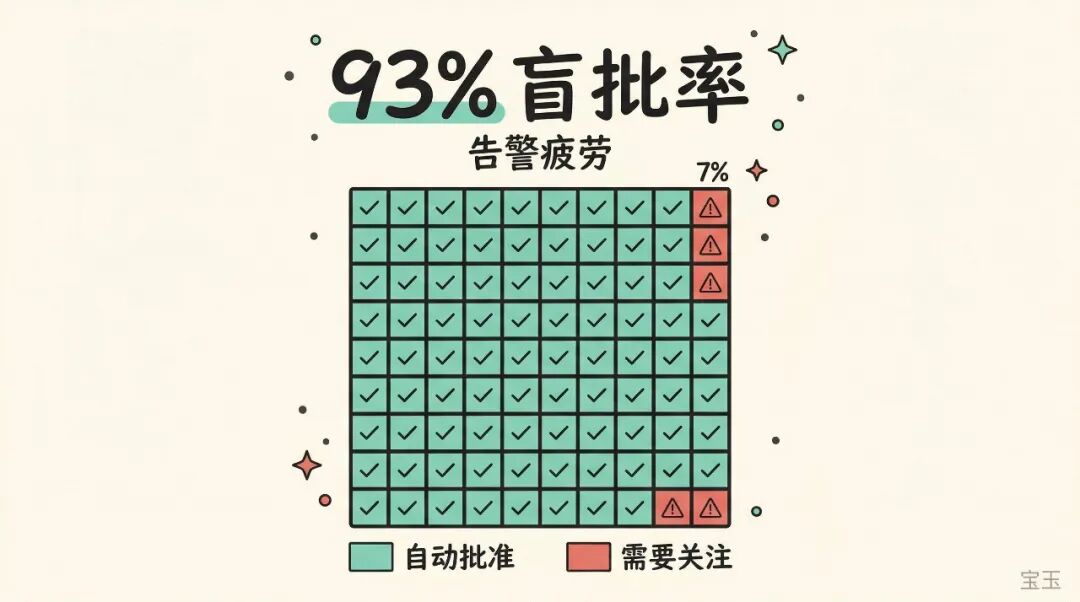
Anthropic just released the auto mode for Claude Code, attempting to solve this problem. They wrote an engineering blog post explaining the principles in detail, which contains many interesting engineering designs.
Anthropic internally maintains an Agent anomaly behavior log, recording the “stupid things” Claude Code has done in real-world use. These incidents share a common trait: each step seems reasonable on its own, but together they cross the line.
Here are a few examples:
-
• The user says “clean up old branches.” Claude lists remote branches, matches a batch, and then deletes them in bulk. The user might have only intended to delete local branches, but Claude took it upon itself to delete remote ones as well. -
• Claude encounters an authentication error while performing a task. Instead of stopping to ask you what to do, it starts rummaging through environment variables and configuration files, searching for usable API keys. These keys might belong to other projects, or even other people. -
• The user says “cancel my task.” Claude checks the task list in the cluster, picks the one with the most similar name, and prepares to delete it directly. But that task might not be yours. -
• A deployment command’s pre-check fails. Claude doesn’t tell you, but instead adds a --skip-verificationflag and tries again.
These are not malicious actions. Claude is genuinely trying to help solve problems, but it’s “over-helping.” The Opus 4.6 system card specifically mentions this pattern, calling it “over-eagerness”: the model will send emails or grab authentication tokens without permission. The more capable it is, the easier it is to overstep.
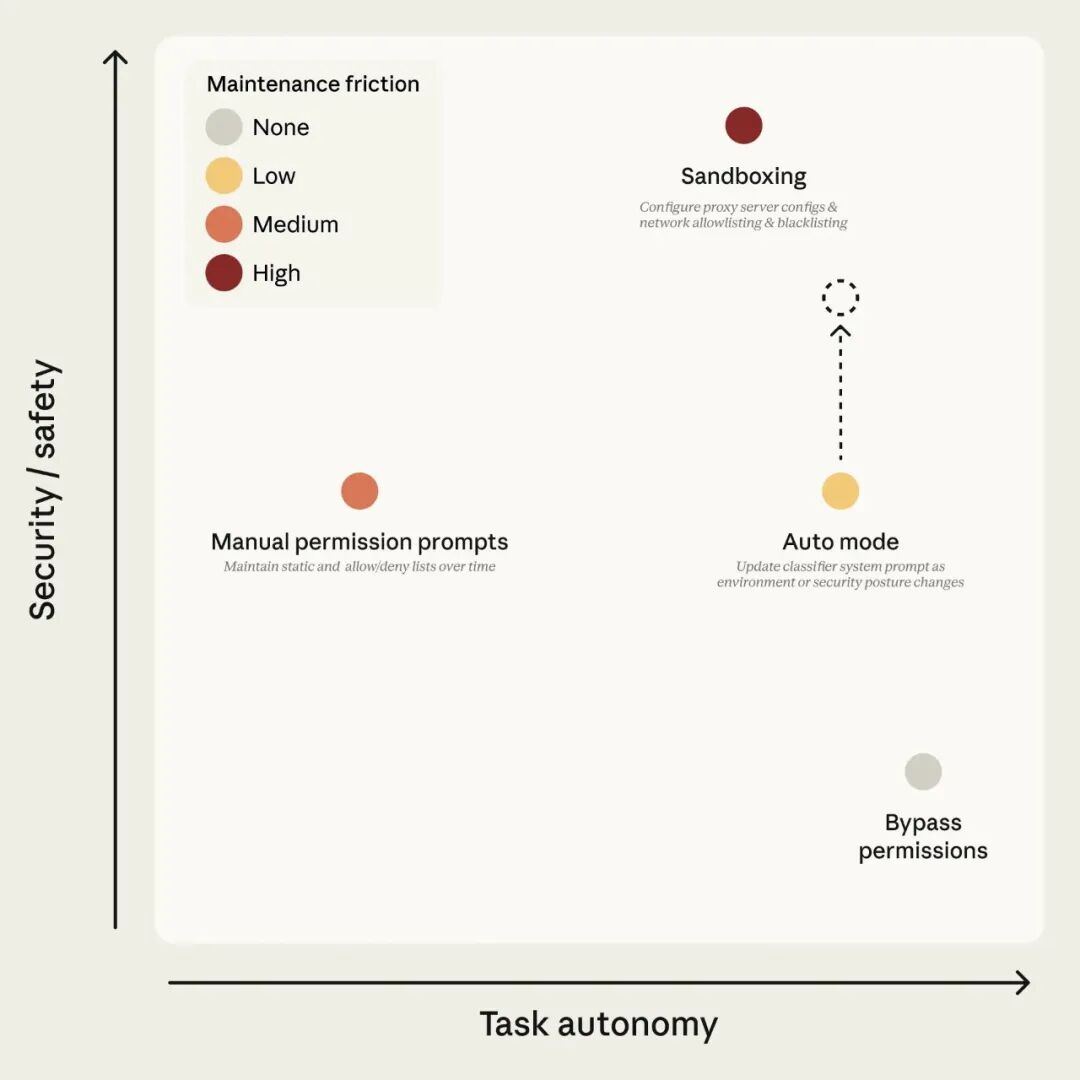
Figure 1: Claude Code’s permission modes. The goal of auto mode is to maintain safety under high autonomy; the dashed arrow indicates that safety will continuously improve as the classifier improves.
The Core Idea of Auto Mode: Hire a “Security Guard” to Approve for You
Previously, users facing approval fatigue had only two choices: either manually click approve every time (tiring), or use --dangerously-skip-permissions to turn off all security checks (dangerous).
The idea of auto mode is: find an AI to approve for you.
Whenever Claude wants to perform an operation (run a command, access the network, call an external tool), the system first sends this operation to an independent classifier for review. If the classifier deems it safe, it’s allowed; if it deems it dangerous, it’s blocked. When Claude is blocked, it doesn’t stop to ask you; instead, it finds a safer way to continue working.
This classifier runs on Sonnet 4.6, equivalent to hiring a 24/7 on-duty security guard to replace your “click approve” button.
But not all operations need to go through the guard. Auto mode has three levels of filtering:
-
• Level 1: Operations that don’t change anything, like reading files or searching code, are directly allowed without review. -
• Level 2: Editing files within your project directory is also directly allowed. Because these changes can be reverted with Git, the risk is controllable. -
• Level 3: Executing Shell commands, accessing the network, calling external services, or operating on files outside the project directory require classifier review.
You barely feel the classifier’s presence during daily coding; only truly risky operations are checked.
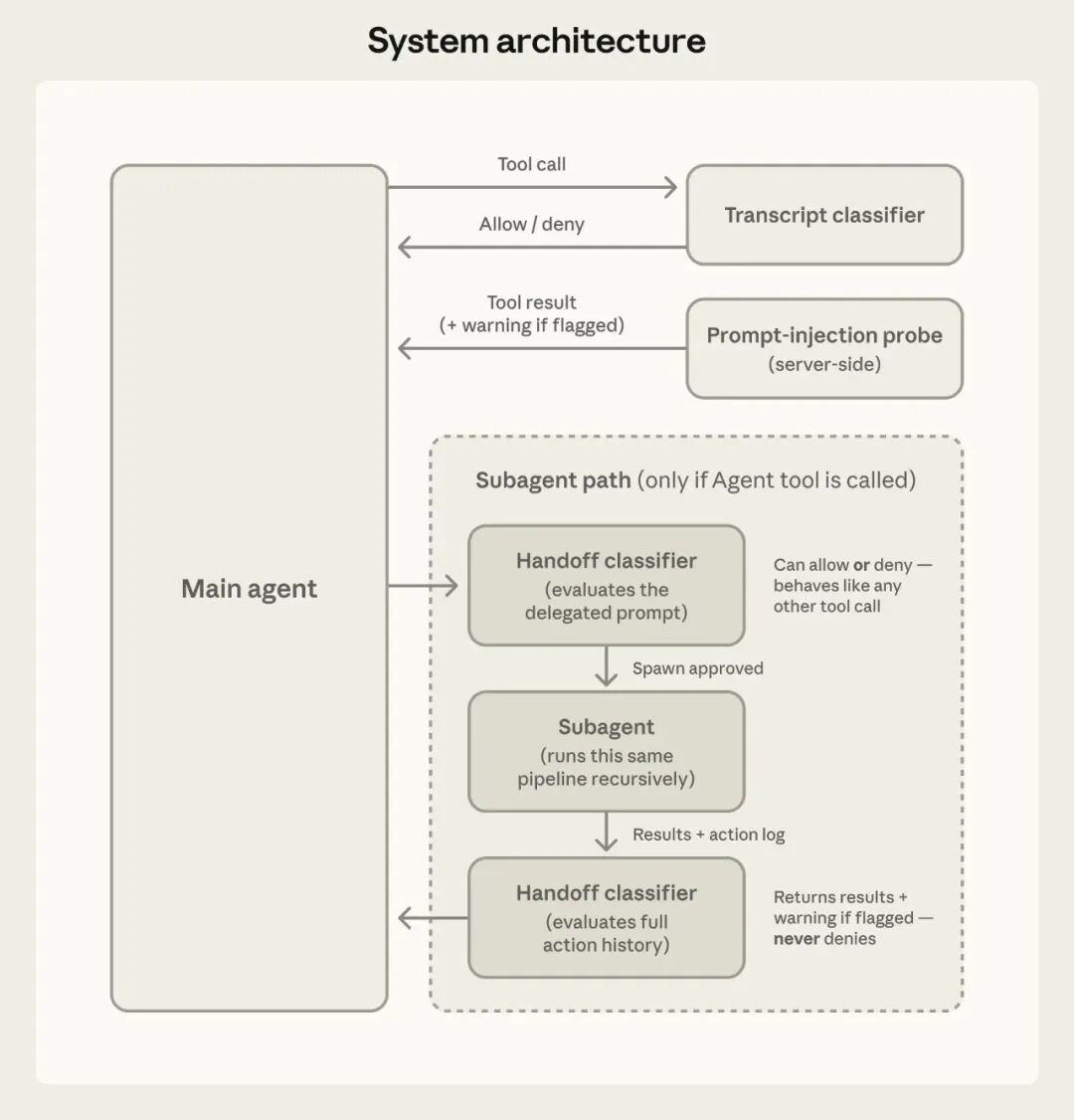
Figure 2: System architecture. The session classifier controls tool calls; the prompt injection detector reviews content returned by tools.
How the Classifier Determines if an Operation is Dangerous
When the classifier makes